PyroBlox Fireworks How to Make a Firework Show
Choreograph fuse delays, link grids, and finales that survive busy Roblox servers.
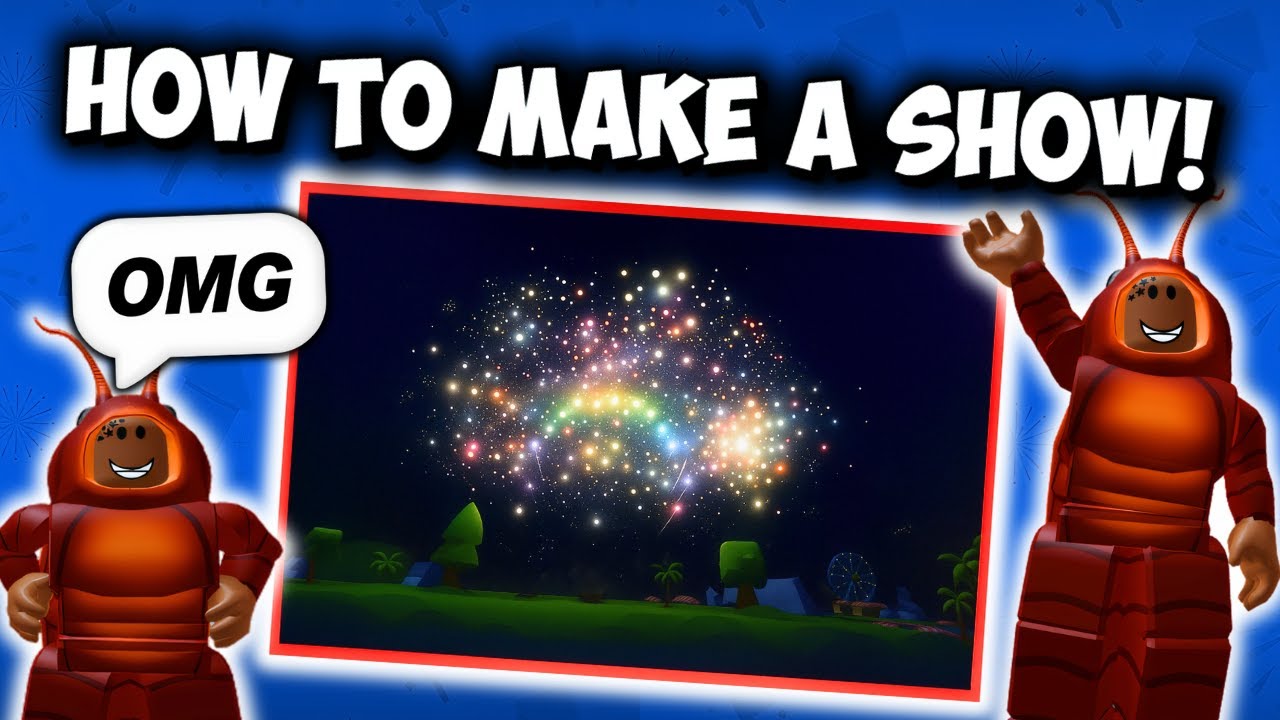
Anyone can spam light a backpack. A firework show in Fireworks Playground is different: planned placement, intentional fuse timing, layered categories, and a trigger plan that lets you watch the sky with your audience. This guide walks through tools, timing, layout, and performance so your display looks designed instead of accidental.
Use Best Mortars and Best Rockets when picking centerpieces, and keep a money loop from Earn Coins Fast so restocking finales does not bankrupt you.
Tools you need
- Fireworks across roles: cakes for beds, rockets for height, mortars for breaks, fountains for entrances, crackers for ground texture
- Fuse with access to the fuse menu (manual link, Auto Link if unlocked, fuse time controls)
- Lighter (including advanced lighter styles if you own them)
- Optional: remote detonator and firing tablet from the equipment shop
- Optional passes: Fuse Upgrade (Auto Link + higher link limits), Tablet Upgrade (more channels / auto helpers), Faster Placement for setup speed
Save a dedicated show loadout separate from grind kits so you do not overwrite artistic picks with reward-sort spam.
Manual link vs Auto Link
Manual link — place pieces, hold fuse, click each firework to add it to the chain, adjust fuse times. Best for precision cues and small-to-medium finales.
Auto Link — with the upgrade path enabled, newly placed fireworks can join the link workflow automatically, which is huge for wide fields. Fuse Upgrade markets Auto Link and a high link cap; Tablet Upgrade also advertises auto-link style benefits for tablet users.
Public servers may still enforce placement caps on very large multi-shot products per linked set. When a mega grid fails, shrink the count or move to a private server for dress rehearsal.
Fuse timing fundamentals
Fuse time controls when each linked piece ignites relative to the trigger.
Practical patterns:
- 0 / 200 / 400 ms (or similar short steps) across a line for cascading breaks
- Longer pre-delays on finale mortars so cakes finish speaking first
- Mirrored left/right offsets so symmetry reads from center camera
- Avoid identical times on identical loud shells — simultaneous stacks become white mush and lag spikes
Think in musical phrases: intro fountains, verse cakes, chorus rockets, bridge mortars, finale everything with staggered peaks.
Detonator and tablet workflows
Remote detonator
- Equip detonator and the show fireworks.
- Place and link with fuse timing set.
- Walk to your camera mark (roof, hill, crowd line).
- Detonate when chat countdown hits zero.
Firing tablet
- Equip tablet; learn its channel / timing UI.
- Link groups to channels if you are running multi-phase shows.
- Fire phases deliberately instead of one panic button — audiences love acts.
Both tools exist so you are not standing inside the blast radius of your own opener.
Layout grids that read on camera
- Leave walking lanes so you can fix a dud link without deleting the whole field.
- Build depth: near fountains, mid cakes, far rockets.
- Use the map’s dark backdrops at night; noon daylight washes pastel breaks.
- Angle rockets away from trees/roofs that clip trails.
- Keep VIP or host positions slightly elevated for clean recordings.
Consumable ramps, tubes, and shells from the outdoor consumable shop support specialized mortar looks when you want launcher aesthetics beyond simple placeables.
Designing a three-act show
Act I — Arrive Soft fountains and low crackers along the path. No giant mortars yet.
Act II — Build Cake beds left and right, a few rockets punching skyward on alternate beats.
Act III — Finale Staggered mortars and crown rockets, maybe a quest exclusive like a Rocko unlock for personality (Find All Rockos). End on a clean silent beat so applause/chat can breathe.
Total piece count matters less than clarity. Forty well-timed fireworks beat two hundred simultaneous screams.
Performance and etiquette
Busy public show nights melt weak devices. Mitigations:
- Rehearse in a private server
- Ask guests to lower graphics; host tips in Tips and Settings
- Hide other players’ FX if the setting exists when you are only documenting your grid
- Avoid starting a second mega show on top of someone else’s finale
- Warn the server in chat before ignition
You are sharing a physics-and-VFX sandbox — courtesy is part of showcraft.
Funding the art
Shows cost coins. Maintain grind loadouts, redeem codes, and only then restock spectacle SKUs. Tier guidance on the Tier List Hub stops you from buying twelve mediocre crackers when two S-tier cakes and a mortar line would look better.
Practice drills
- Five-piece cascade with 200 ms steps — learn the feel of delay.
- Left/right mirror rockets with a center mortar late cue.
- Detonator walkaway: trigger from 50 studs without breaking links.
- Tablet two-phase: cakes, pause, then mortars.
- Full dress rehearsal recording for your own notes.
When updates change toys
Weekly Pseudo Studio patches add fireworks that may outclass your old finale. Rebuild acts, do not cling to outdated SKUs out of habit. Skim Updates Hub when a season theme lands (holidays are prime show weeks).
Summary checklist
- Separate show vs grind loadouts
- Decide manual vs Auto Link before placing fifty pieces
- Stagger fuse times on purpose
- Trigger from detonator/tablet camera marks
- Rehearse private, perform public if you want an audience
- Restock with a real coin plan
Master these habits and Fireworks Playground stops being “place and yell” — it becomes a stage you can run on command. For more how-tos, return to the Guides Hub.
Frequently Asked Questions
Quick answers to the most common questions.
What is Auto Link in Fireworks Playground?
An upgraded linking mode where placement ties into automatic linking workflows, commonly unlocked via Fuse Upgrade (and related tablet upgrade perks). It speeds large show setups.
Should I build shows in public or private servers?
Rehearse in private for lag control and clean timing. Perform in public when you want an audience and the grid is already tested.
Why does my finale look washed out?
Too many identical shells on the same fuse time, or bright daylight. Stagger delays, mix categories, and prefer night lighting.
Do I need a firing tablet?
No. Lighters and remote detonators can run great shows. Tablets help when you want multi-channel phased control.
How do I afford bigger shows?
Keep a grind loadout loop, redeem codes, and spend on high-impact finale pieces instead of piles of low-reward clutter.